
CareAlert

Skip to campaign highlights ↓
My Role Senior Copywriter at
Client

Wrote the copy and visual concepts for CareAlert's Indiegogo launch.

Deliverables

Key Results

$29,922 Raised
159 Pre-orders
CareAlert
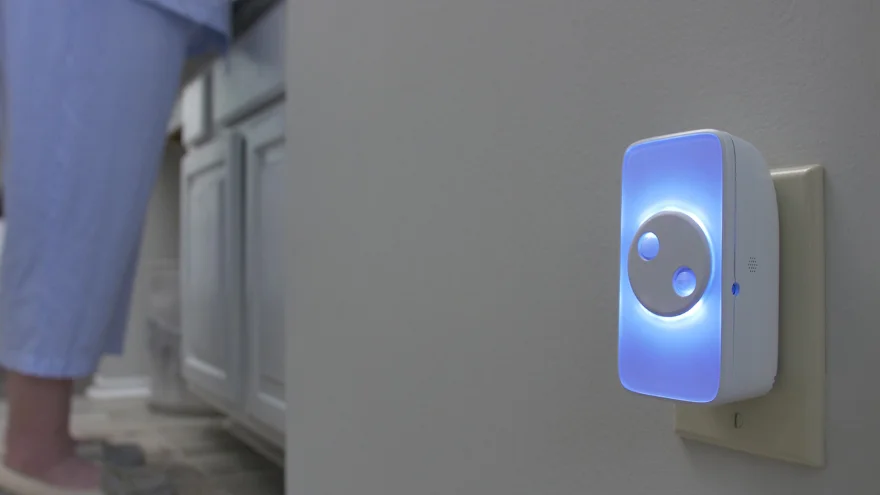
A home at night: a person’s slippered feet and pajama legs at the left edge, and the CareAlert glowing blue-white from a wall outlet on the right.

Balancing privacy and peace of mind

A device that watches over someone can’t feel like surveillance. The page had to promise safety and privacy in the same breath.

  • The productCareAlert — a plug-in smart nightlight for an aging parent’s home, with no camera and nothing to wear

Written for two readers

Urgent enough to move the buyer, respectful enough that showing the page to Mom wouldn’t sink the sale.

The child, who buys it
The parents, who live with it

Nearly three times the goal

The campaign ran in late summer 2020 and closed at $28,029 against a $10,000 goal, with orders after the close carrying the total to $29,922.

Campaign Highlights

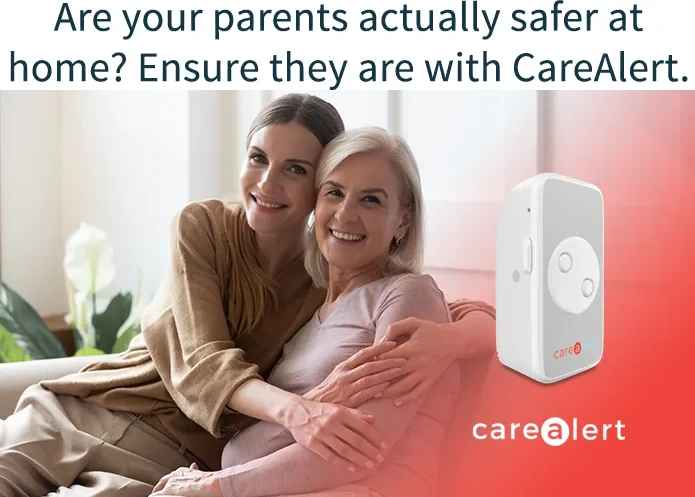
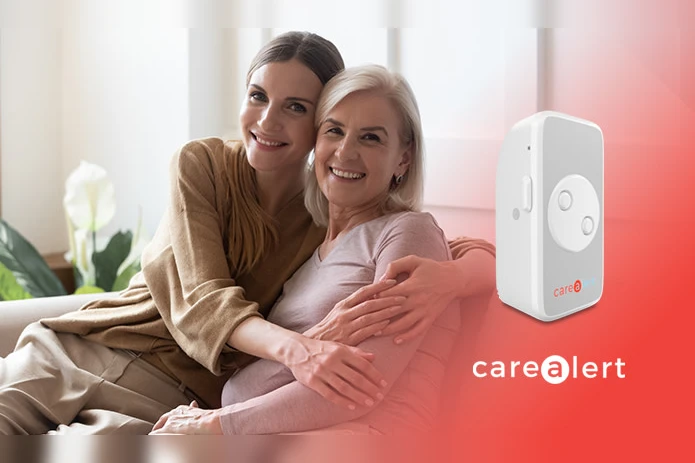
The campaign's opening block: the headline “Are your parents actually safer at home? Ensure they are with CareAlert.” above the key art — an adult daughter embracing her older mother on a sofa, with the white CareAlert device and wordmark on a red field at right. Enlarge

One word does the work

The page opens on a question the reader has already asked themselves. The word “actually” hints that the answer they’ve settled on may not survive checking.

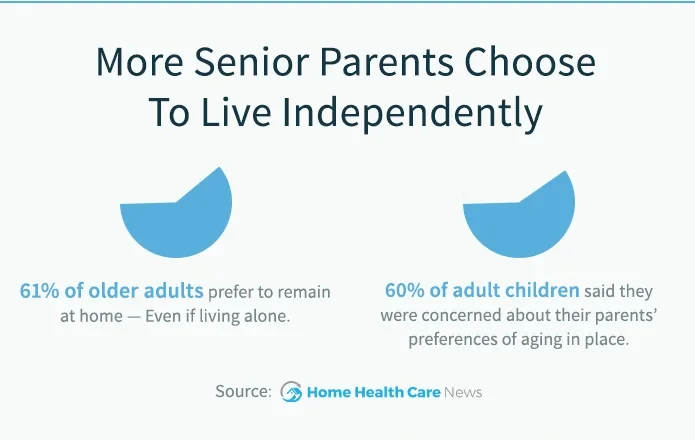
A statistics block headed “More Senior Parents Choose To Live Independently”: 61% of older adults prefer to remain at home even if living alone, beside 60% of adult children concerned about their parents’ preferences for aging in place. Sourced to Home Health Care News. Enlarge

A figure for each reader

Two figures, one for the parent who wants to stay and one for the child who worries about it. The section names the conflict, so the device arrives as a compromise both sides can accept.

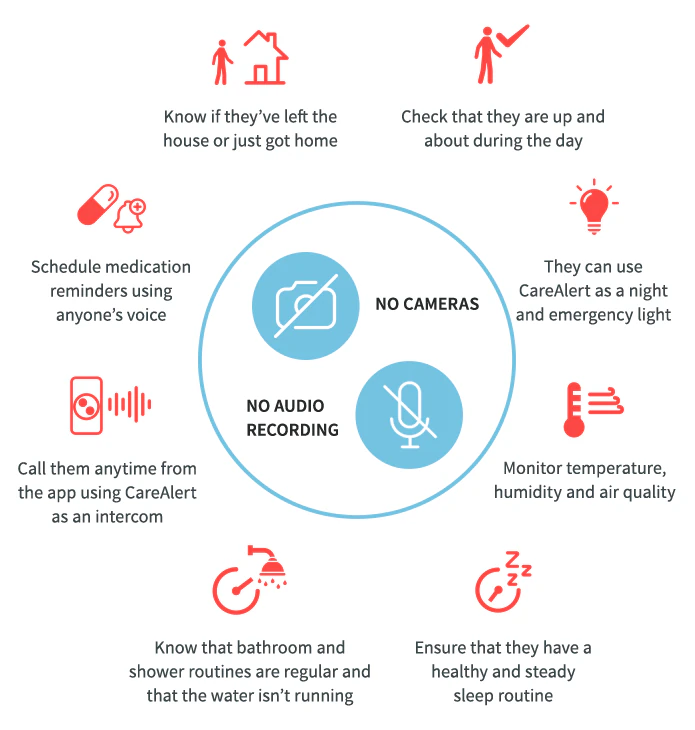
Eight capability icons arranged in a ring around a central hub reading “No cameras” and “No audio recording” — the two things the device refuses to do. Enlarge

The constraint at the center

Eight capabilities arranged around a hub that names what the device refuses to do. The limitation sits where a feature diagram would normally put its strongest claim.

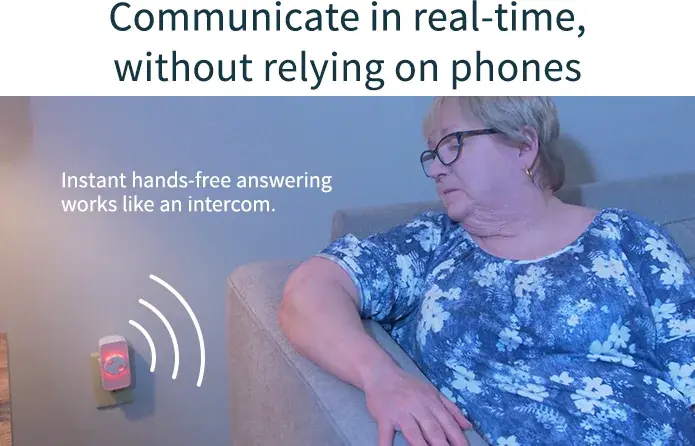
The real-time voice block: the heading “Communicate in real-time, without relying on phones.” above a photo of a woman in an armchair beside the wall-plugged device, drawn sound waves radiating from it, captioned as instant hands-free answering that works like an intercom. Enlarge

No phone to fumble

The check-in lands in the room and answers itself hands-free — the parent never has to own, charge, or find a phone.

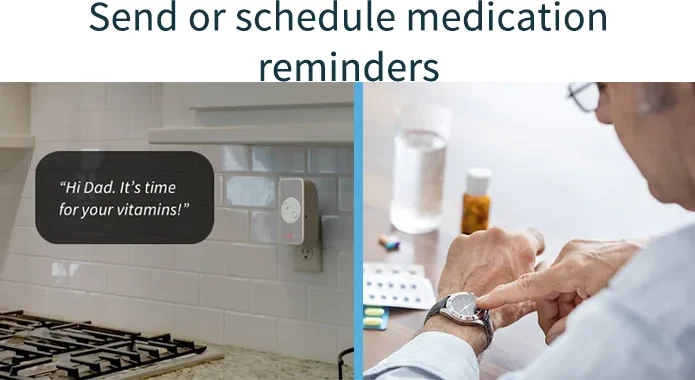
The reminders block: the heading “Send or schedule medication reminders” above a split panel — on the left, the device on a kitchen wall speaking “Hi Dad. It’s time for your vitamins!”; on the right, an older man checking his watch beside a weekly pill organizer. Enlarge

In a voice they know

A medication reminder is a small feature until you notice it can be recorded by the family. The example on screen is addressed to Dad.

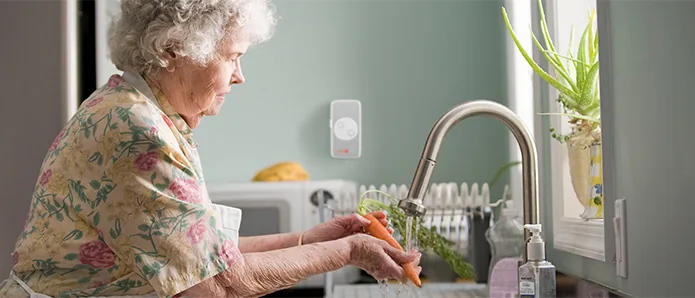
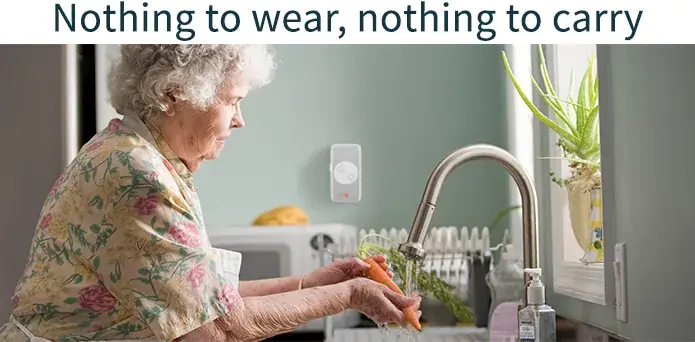
The heading “Nothing to wear, nothing to carry.” above a photo of an elderly woman in a floral blouse rinsing carrots at a kitchen sink, the CareAlert plugged into the wall socket beside her. Enlarge

Nothing on the parent

Medical alerts hang a pendant on the body and make the parent carry the product everywhere. Here the device stays in the wall socket, so there is nothing to put on or forget.

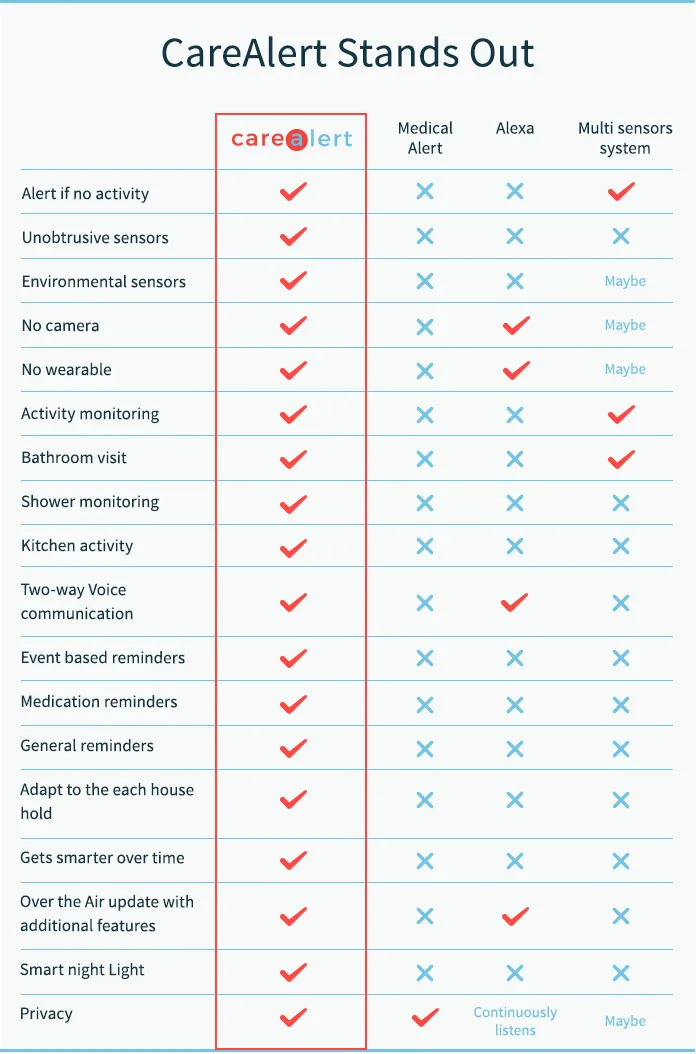
“CareAlert Stands Out” — an eighteen-row comparison table setting CareAlert against a medical alert, Alexa and a multi-sensor system, ending on a privacy row. Enlarge

Ending on privacy

Eighteen rows against a medical alert, a smart speaker, and a full sensor system. The last row is privacy.